
Answer Telegram messages in Freesbe
Customers can message your business on Telegram and get answers from your team in Freesbe, one thread per customer in a channel you pick. It comes with the Business plan and up, and you need to be a Freesbe owner or admin.
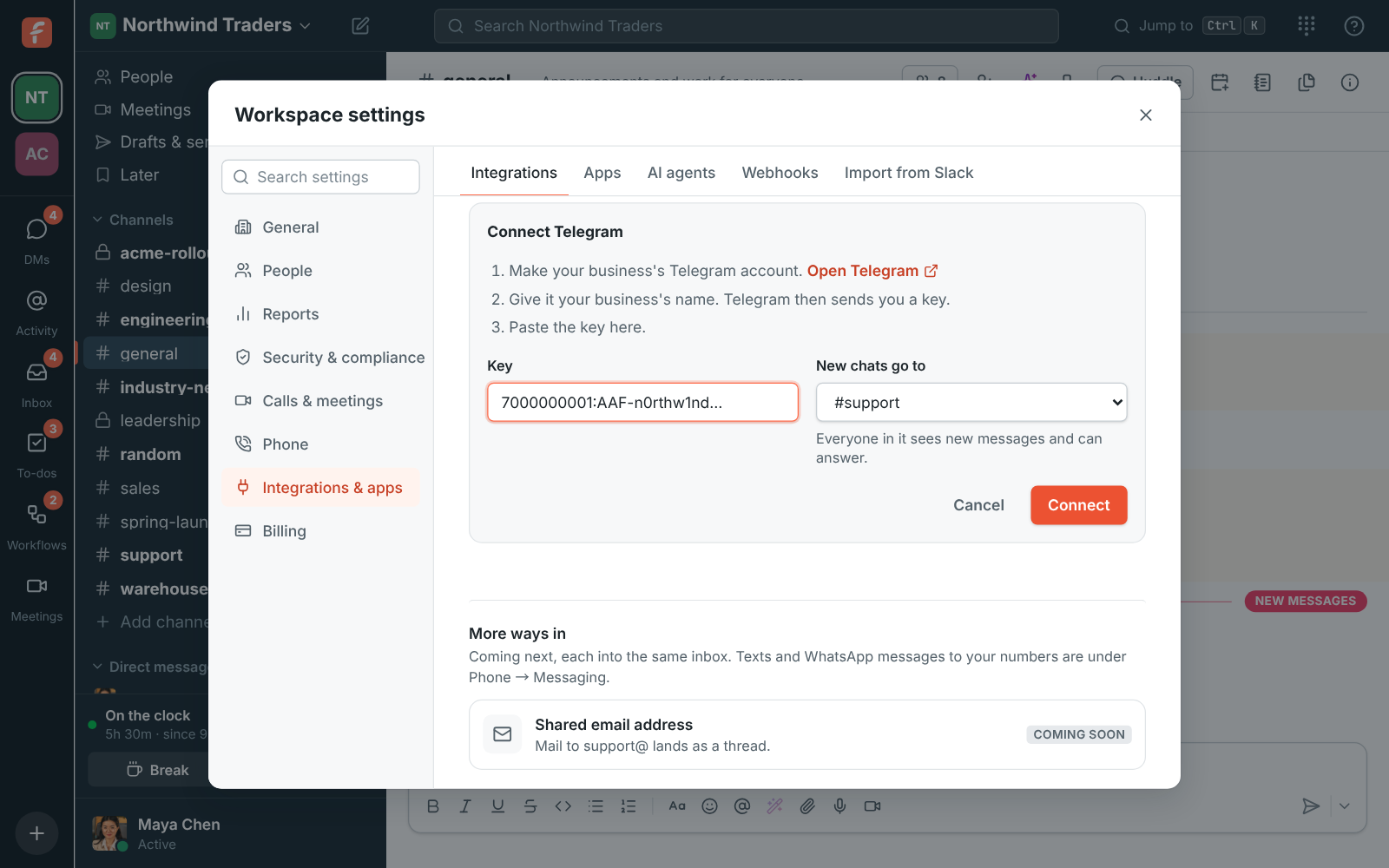
1. Make your business’s Telegram account
Section titled “1. Make your business’s Telegram account”- Open Workspace settings → Integrations → Customer inbox and, under Telegram, click Connect Telegram.
- Click Open Telegram. Telegram opens its account maker for businesses: tap Start, then
send
/newbot. - Give it your business’s name, like Northwind Traders, and a username ending in
bot, like NorthwindTradersBot. - Telegram answers with a key, a long line like
7000000001:AAF…. Copy it.
2. Connect it
Section titled “2. Connect it”- Back in Freesbe, paste the key and pick the channel new chats go to, like #support.
- Click Connect. The settings now show the name customers see and Your Telegram link.
- Open the link on your phone and send a message: it lands in the channel, in its own thread.
- Reply in the thread. The reply arrives on Telegram.
Put the link on your website, in your email signature and on receipts so customers can find you.
Good to know
Section titled “Good to know”- Telegram has no 24-hour limit and no message fees: you can answer whenever you’re ready.
- Customers have to write first. Telegram doesn’t let businesses message people who haven’t.
- Photos and files go both ways: Telegram takes photos up to 10 MB and files up to 50 MB.
- If a reply shows Failed because the customer blocked your business, they need to unblock it in Telegram before replies reach them.
- To stop, click Disconnect. Conversations stay in the channel as threads.
- See also Share a channel on Telegram.
Answers come from the Freesbe guides and are written by AI, so check the linked guide before relying on one. Please don't include personal details such as emails or passwords.